FLASH SALE Get 20% OFF everything using the coupon code: FLASH20 View Pricing Plans →
Theme Documentation
Plugin Documentation
By default, slideshow items appear in the order they were published (chronologically). To change this:
1. Go to Slideshow → Re-order
2. Drag and drop the slides into your preferred order or click on the up/down arrows under each item
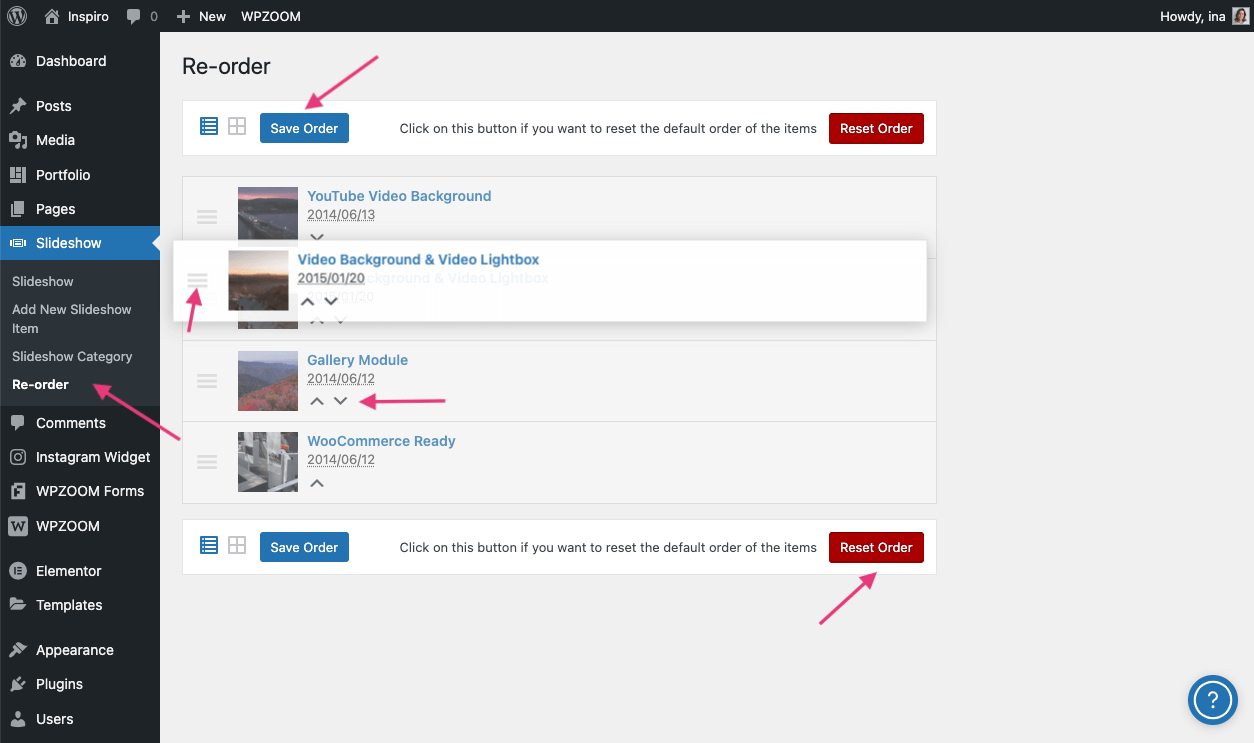
3. Click Save Order
The homepage slider will now reflect this new order.
Click Reset Order to restore the default chronological order of the slideshow items.
Subscribe to our newsletter to get exclusive discounts and new product launches right in your inbox.
You have successfully joined our subscriber list.
