FLASH SALE Get 20% OFF everything using the coupon code: FLASH20 View Pricing Plans →
Theme Documentation
Plugin Documentation
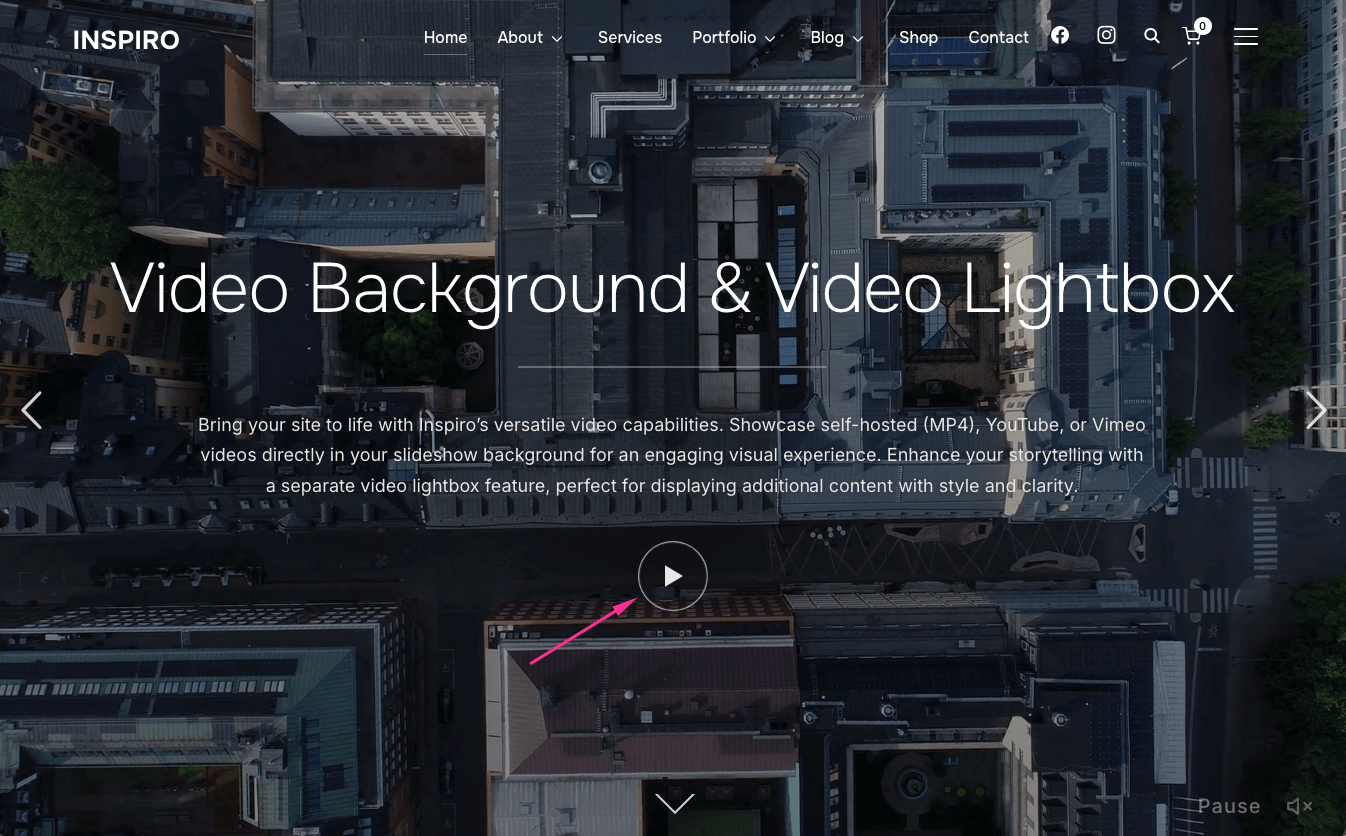
The Video Lightbox feature adds the play icon in a slide from the homepage slideshow.
To remove the play icon, follow these steps:
1. Edit the slideshow post
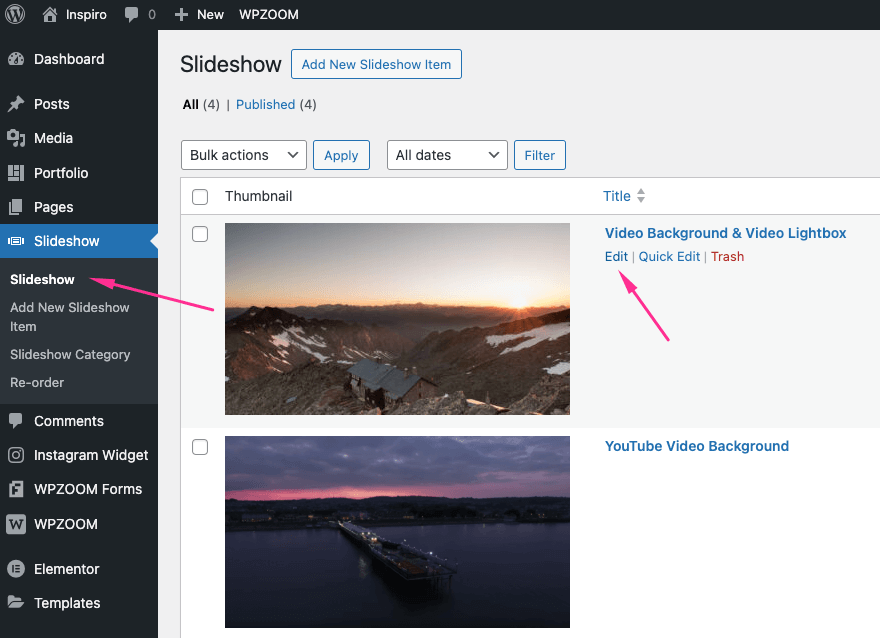
2. Go to the Video Lightbox tab under Video Settings
3. Clear both video fields: Self-hosted and YouTube/Vimeo
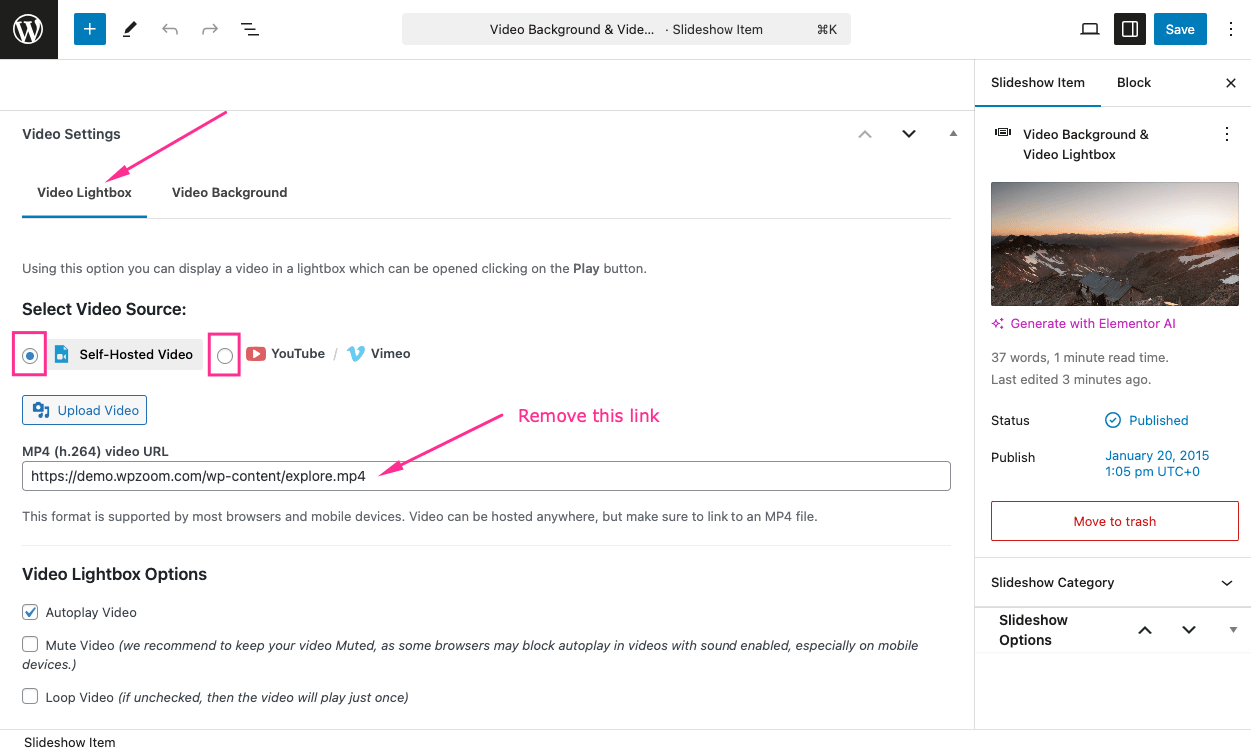
4. Click Save to publish the changes and reflect them on the front end
Repeat the same for other slides if needed.
Subscribe to our newsletter to get exclusive discounts and new product launches right in your inbox.
You have successfully joined our subscriber list.
