FLASH SALE Get 20% OFF everything using the coupon code: FLASH20 View Pricing Plans →
Upgrading from Inspiro Lite to Inspiro Premium unlocks advanced features like video background slideshows, portfolio integration, more starter sites, and additional customization options.
This tutorial walks you through the steps to safely upgrade without losing your existing content or homepage layout.
After purchasing Inspiro Premium, log in to your WPZOOM account and download the inspiro.zip file.
If you have Inspiro Lite already installed:
1. In your WordPress dashboard, go to Inspiro → Install Premium.
2. Click Choose File, select the inspiro.zip file, and click Install Now.

3. A message will appear saying “This theme is already installed.” Click Replace installed with uploaded.
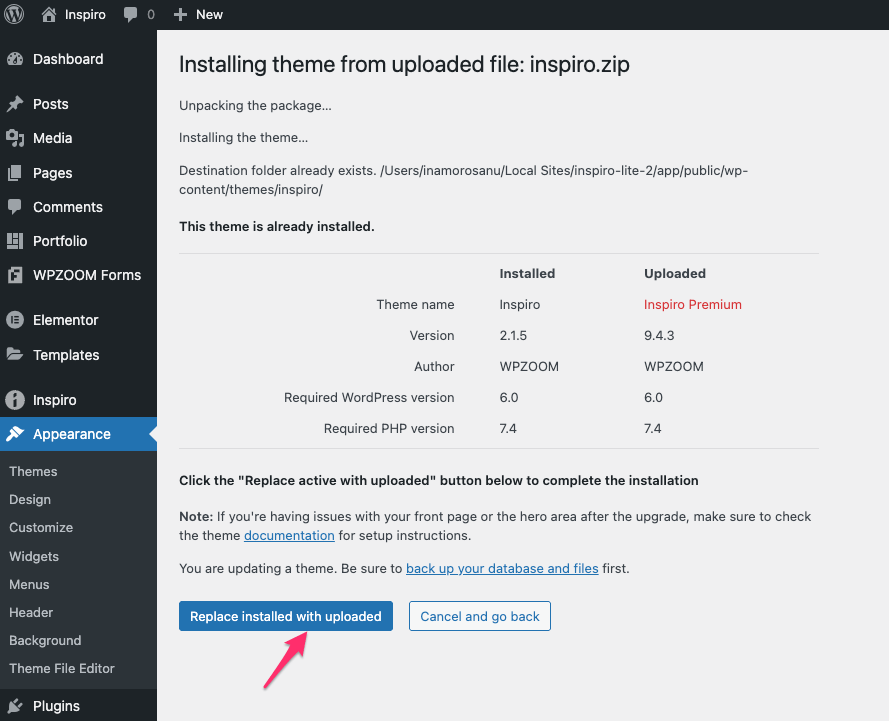
4. Once installed, you’ll see a confirmation message.
Alternative Method: You can also upload the ZIP file via Appearance → Themes → Add New → Upload Theme and follow the same steps above.
See more: How to Install Inspiro Premium
To receive updates and access all premium features:
See more: How to Activate the License Key
Your site will retain all your content and existing homepage layout. How you continue editing depends on the page builder and starter site you originally used in Inspiro Lite.
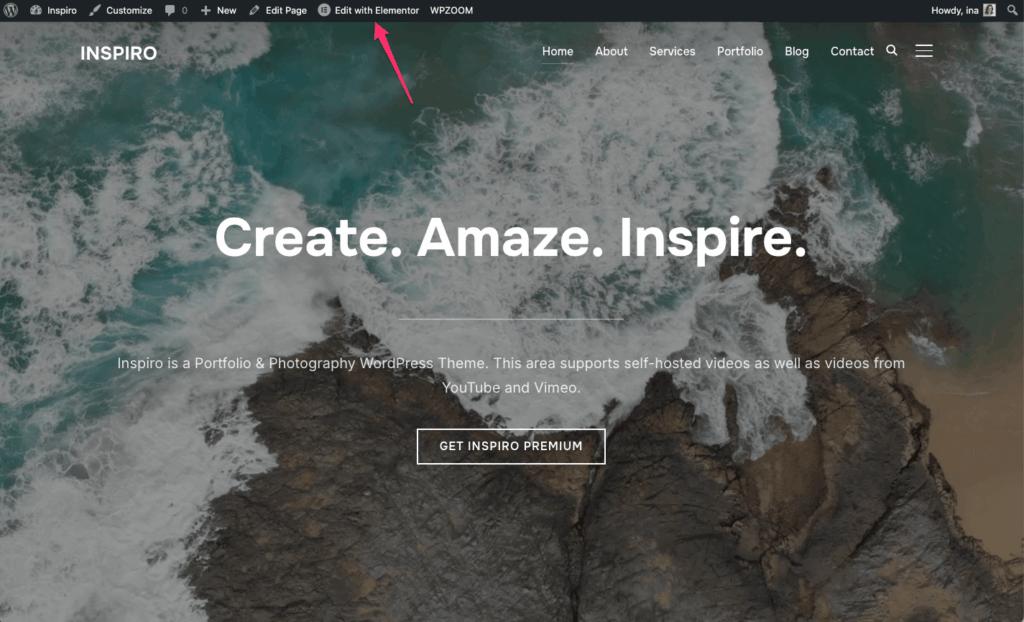
If you used Elementor: Click Edit with Elementor on your homepage to continue editing.
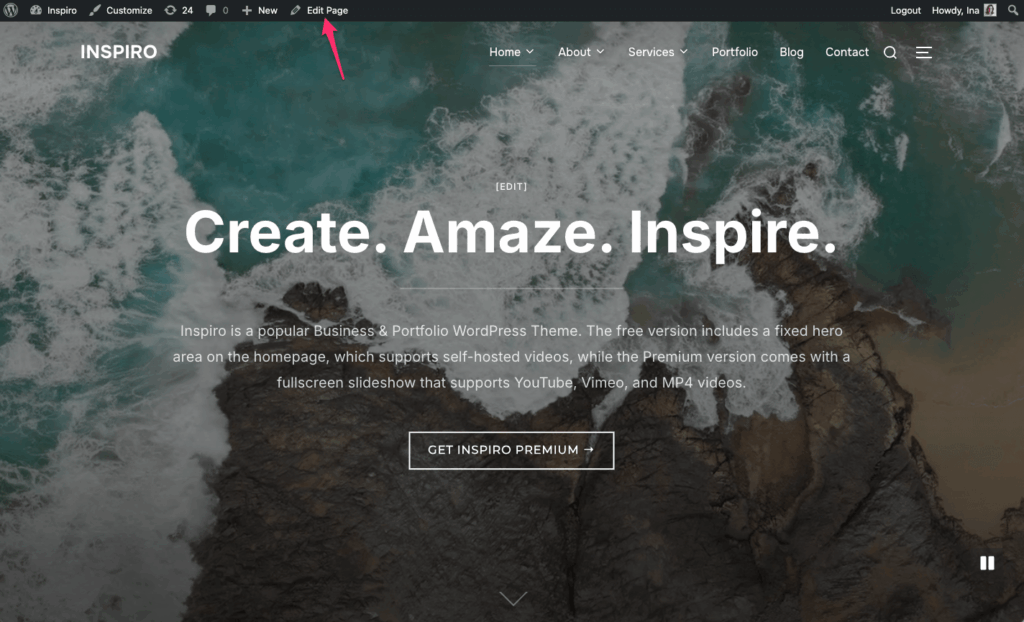
If you used the block editor: Click Edit Page to use the block editor.
See also:
Using the Block Editor with Inspiro Premium
Using Elementor with Inspiro Premium
How to Create the Homepage
The structure of Inspiro Lite and Inspiro Premium differs slightly due to WordPress.org’s requirements for making themes compliant with the platform’s rules.
Most customers upgrade for the advanced features of Inspiro’s hero area, including multiple video background slides and video controls. How you use the hero area will depend on your setup:
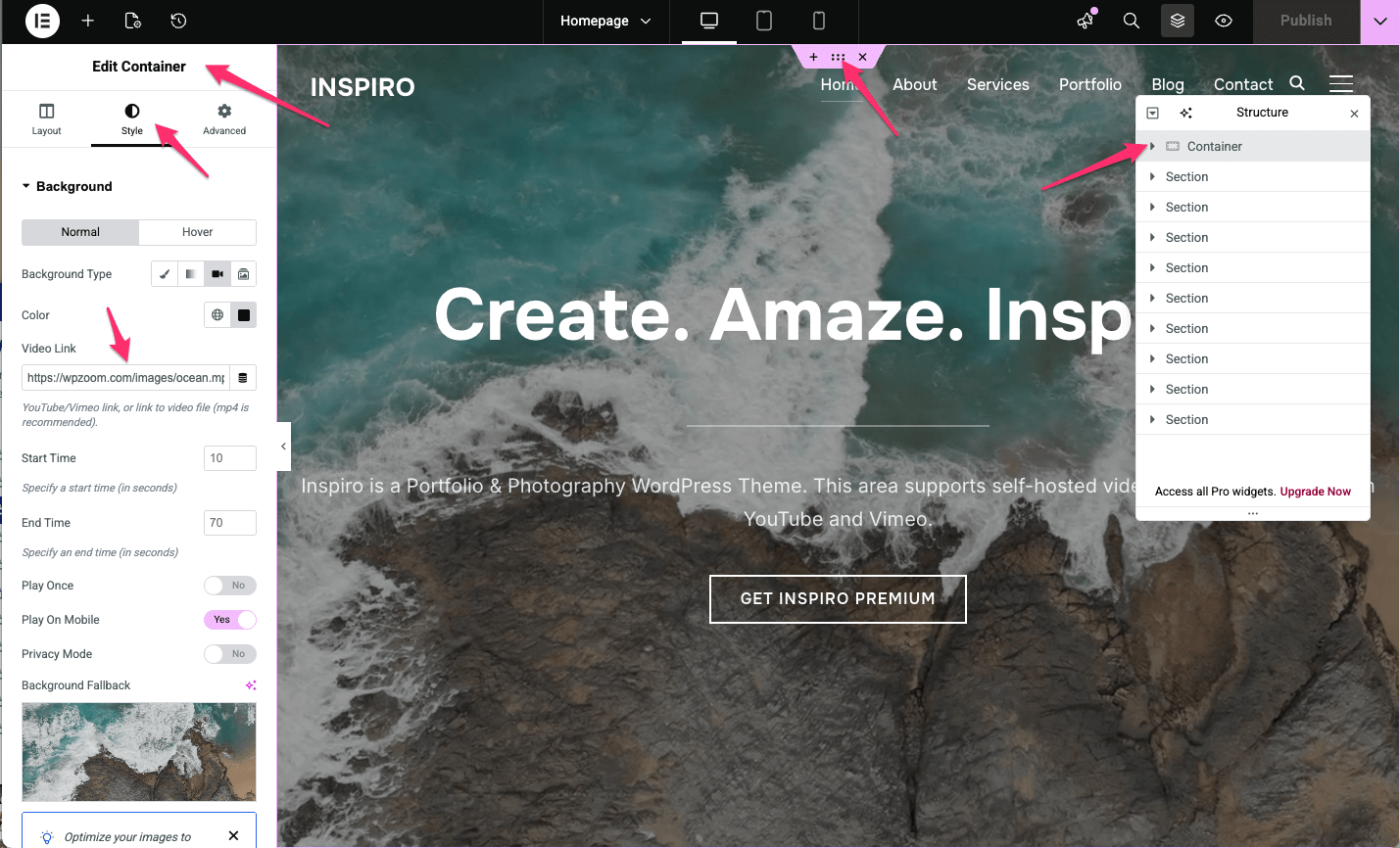
See more:
Using the Video Slideshow Widget (Elementor)
To enable multiple slides with video backgrounds in the block editor:
See more:
How to Add Slideshow Items
Configuring the Homepage Slideshow
Setting up the Video Background in Slideshow
Not sure which method to use? See: Introduction to Inspiro’s Hero Area
Explore more ways to get the most out of Inspiro Premium by checking the entire Inspiro Documentation.
