FLASH SALE Get 20% OFF everything using the coupon code: FLASH20 View Pricing Plans →
Theme Documentation
Plugin Documentation
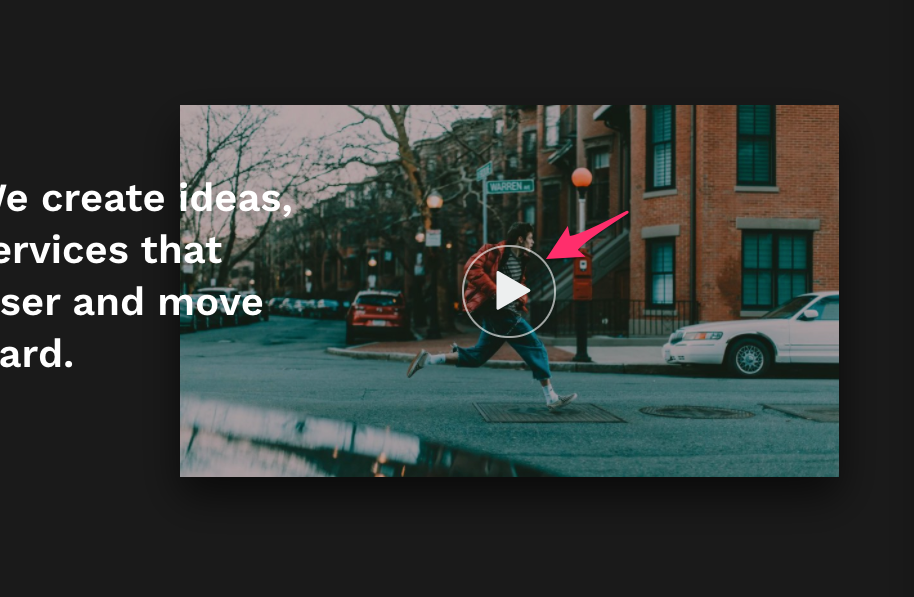
Using the Button module from our free plugin with Beaver Builder Add-ons, you can easily add a button or an icon that opens a video lightbox anywhere you want on a page.
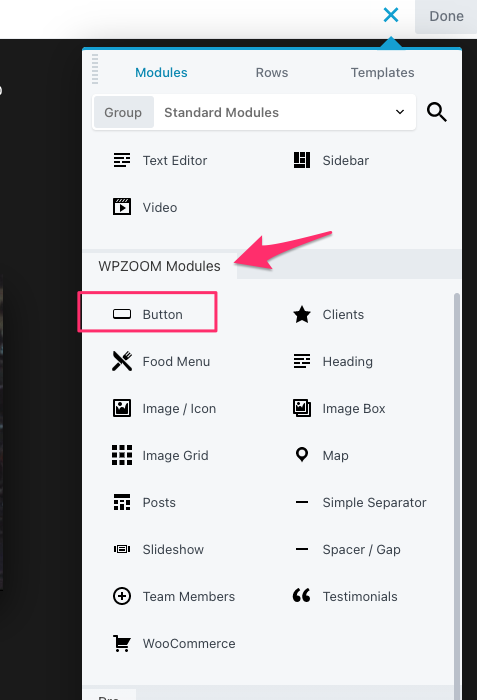
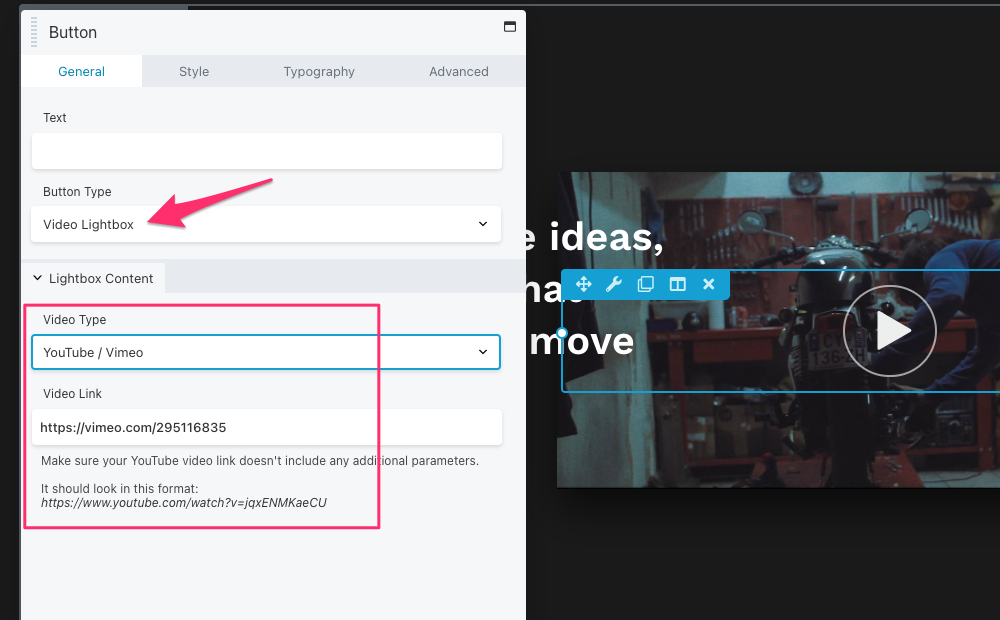
After adding the Button widget to your layout, change the Button Type to Video Lightbox and this will change the button action when being clicked:
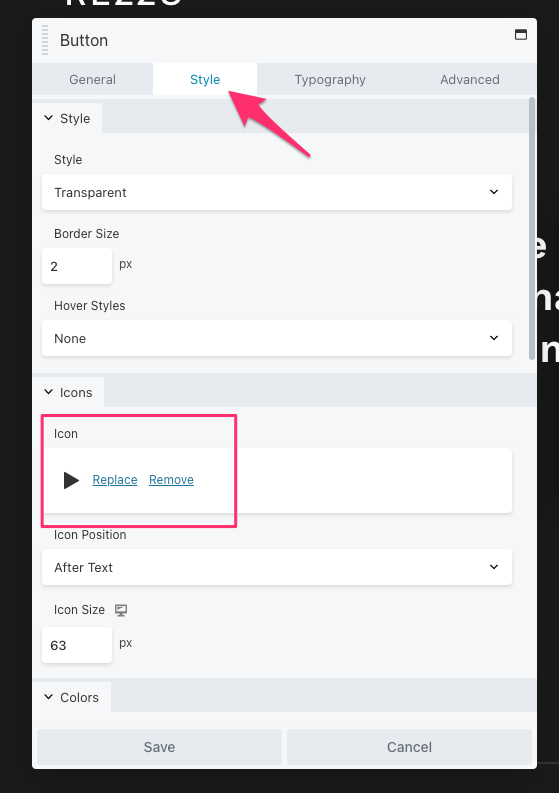
Optionally, you can style the button as you want in the Style tab, and add an icon to it, etc:
Subscribe to our newsletter to get exclusive discounts and new product launches right in your inbox.
You have successfully joined our subscriber list.
