FLASH SALE Get 20% OFF everything using the coupon code: FLASH20 View Pricing Plans →
Theme Documentation
Plugin Documentation
After installing and activating the plugin, we recommend you to activate your license key in the Settings > Social Icons Widget PRO page to get updates in the future.
You can find and copy your license key on this page.

Then go to Settings > Social Icons Widget PRO and insert your key in the License Key tab. Click on the blue Save Changes button:
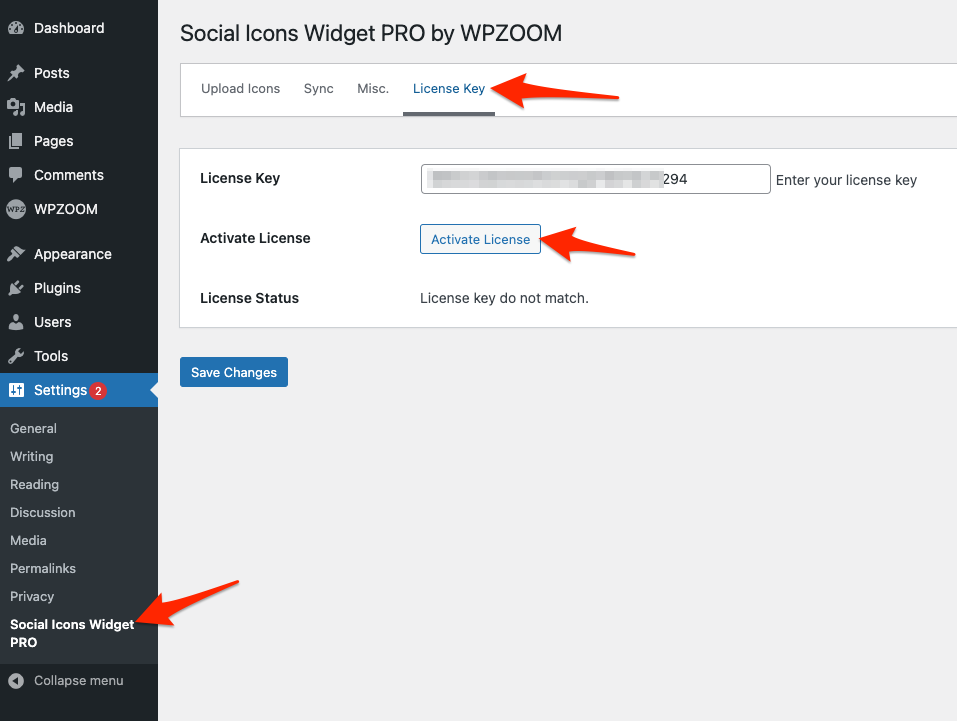
After adding the license key in the settings page, make sure to click on the Activate License button to get the green active status.

Subscribe to our newsletter to get exclusive discounts and new product launches right in your inbox.
You have successfully joined our subscriber list.
